Step 1 of 15
Log in to Kraken Pro
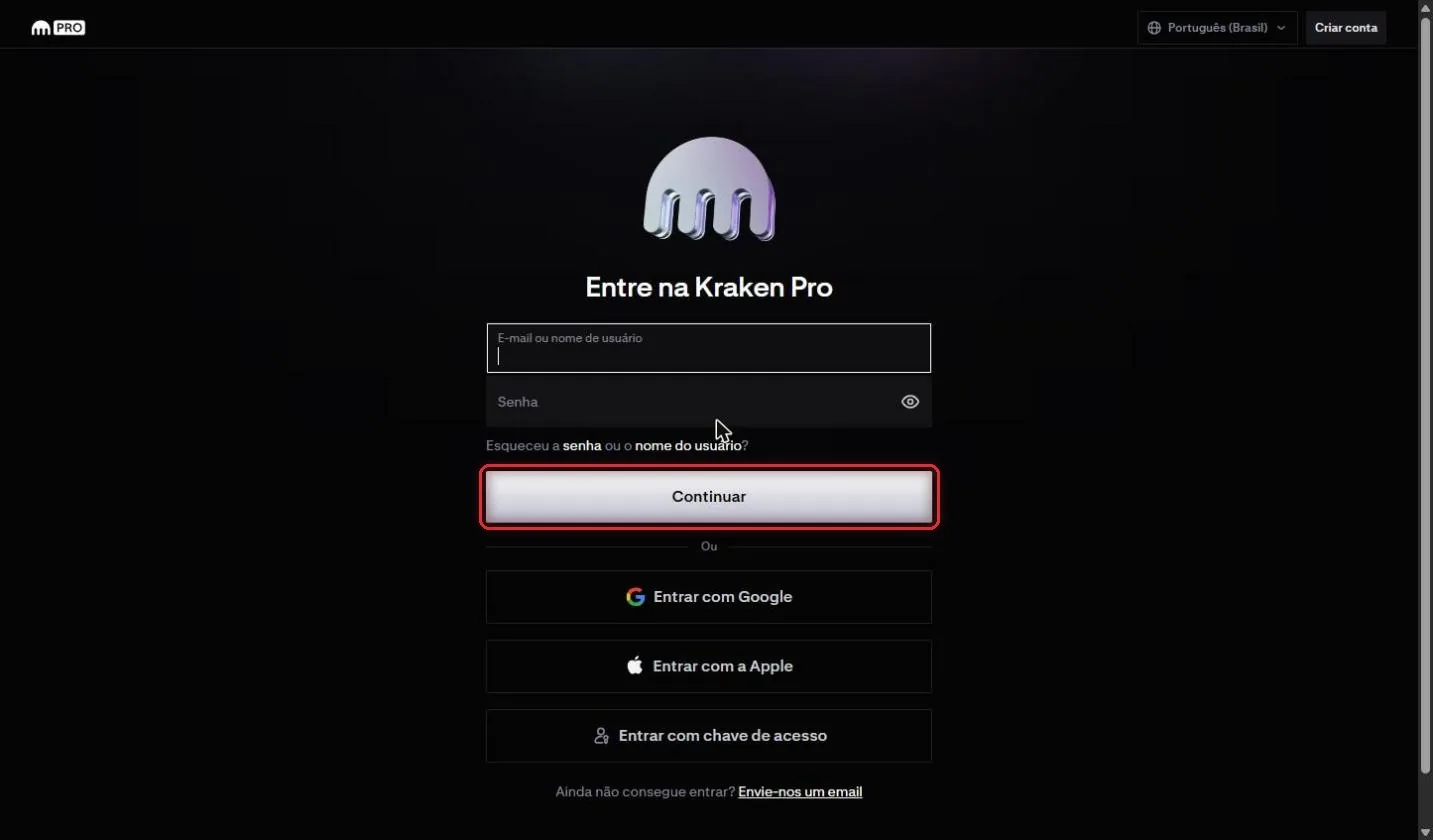
Go to pro.kraken.com on your computer, enter your email or username and your password, and click Continuar (Continue).
How to create an API key on Kraken Pro with the right permissions and connect it to RedMind.
Go to pro.kraken.com on your computer, enter your email or username and your password, and click Continuar (Continue).
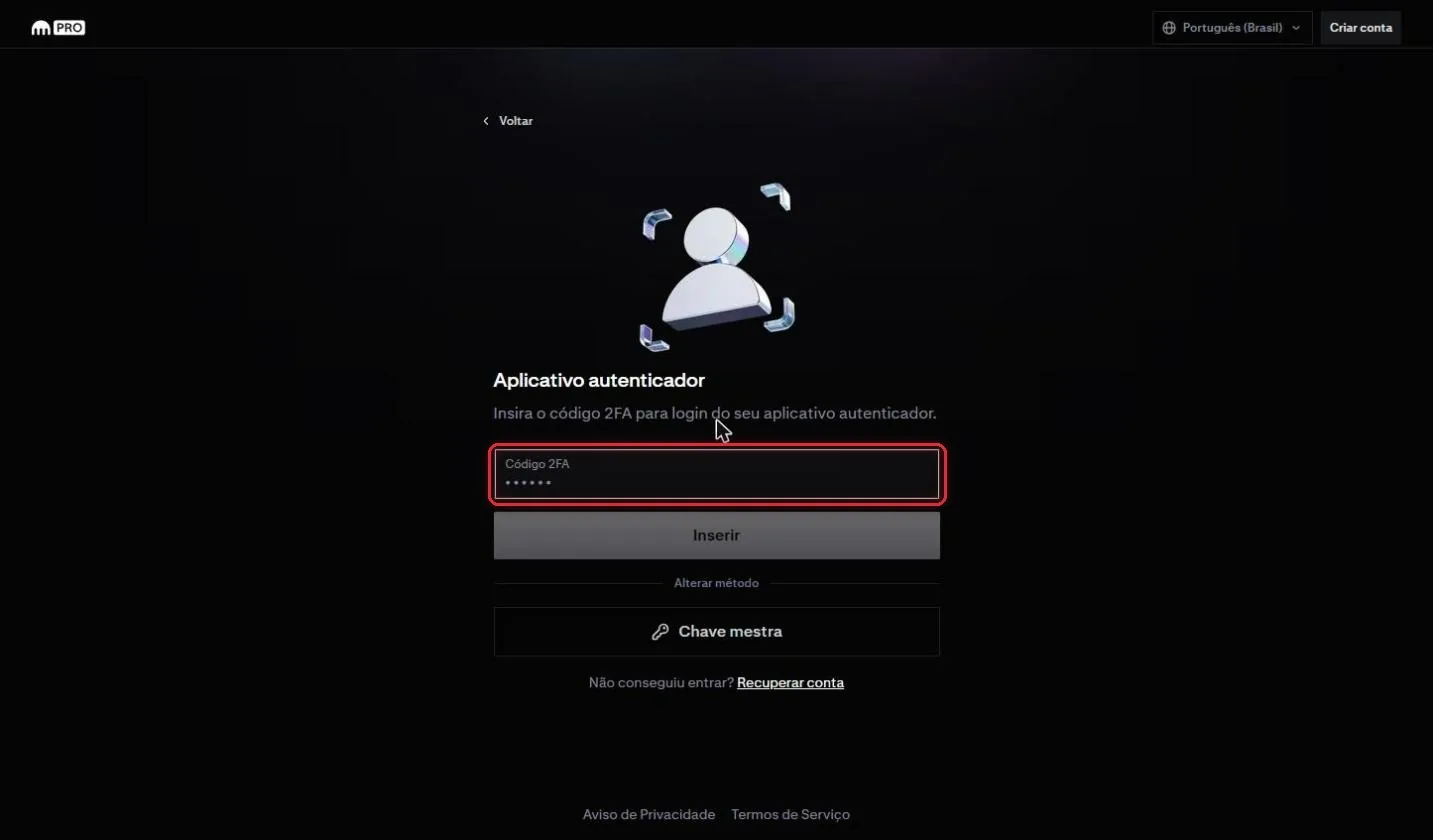
If your account has two-step verification turned on, enter the code from your authenticator app and click Inserir (Enter).
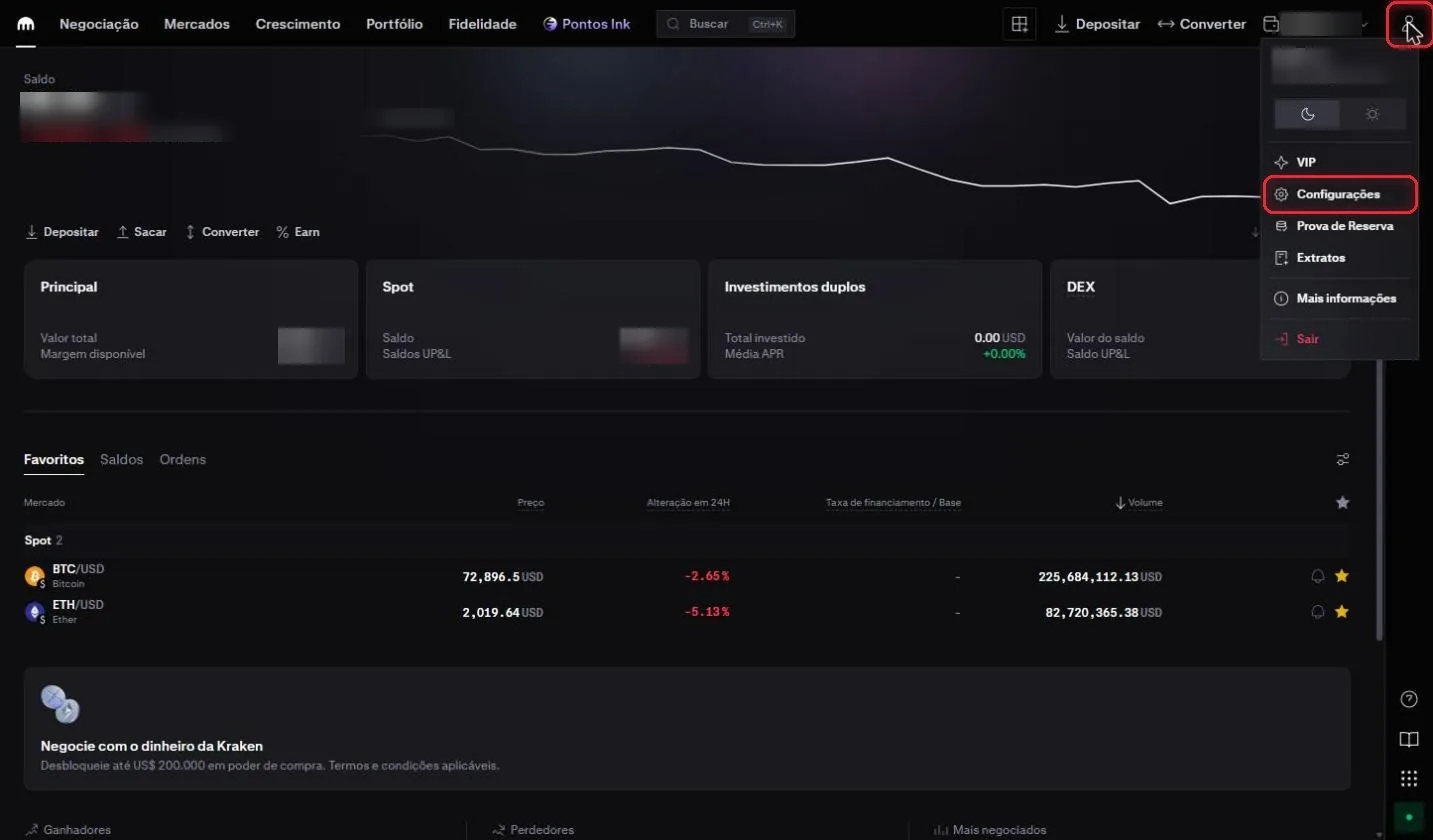
On the home screen, click the profile icon in the top-right corner, then click Configurações (Settings).
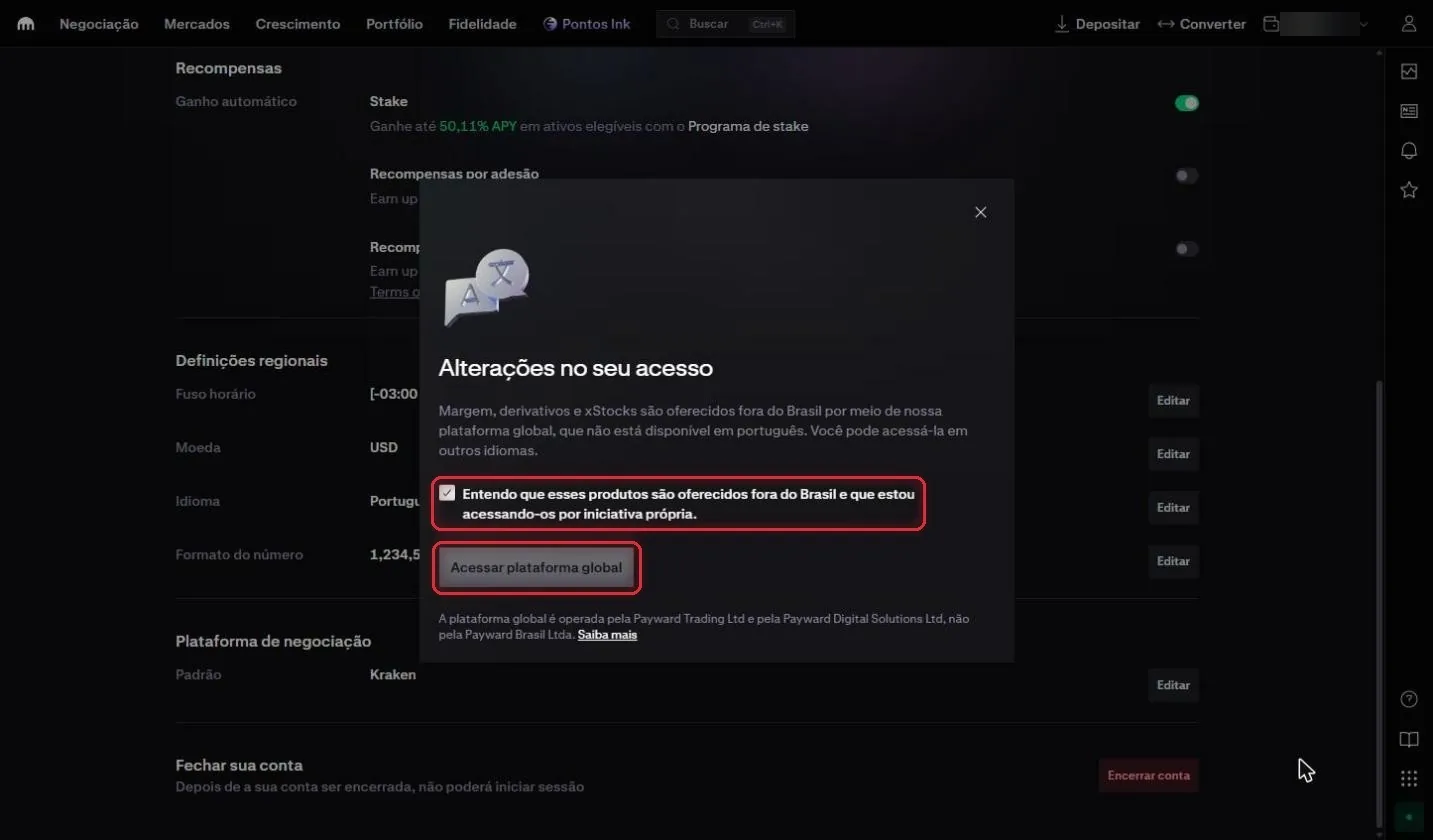
Under Configurações → Conta (Settings → Account), scroll to Definições regionais (Regional settings) and click Editar (Edit) next to Idioma (Language). Kraken displays the Alterações no seu acesso (Changes to your access) notice: xStocks are available only on the global platform, which isn't offered in Portuguese.
Check Entendo que esses produtos são oferecidos fora do Brasil (I understand that these products are offered outside Brazil) and click Acessar plataforma global (Access global platform).
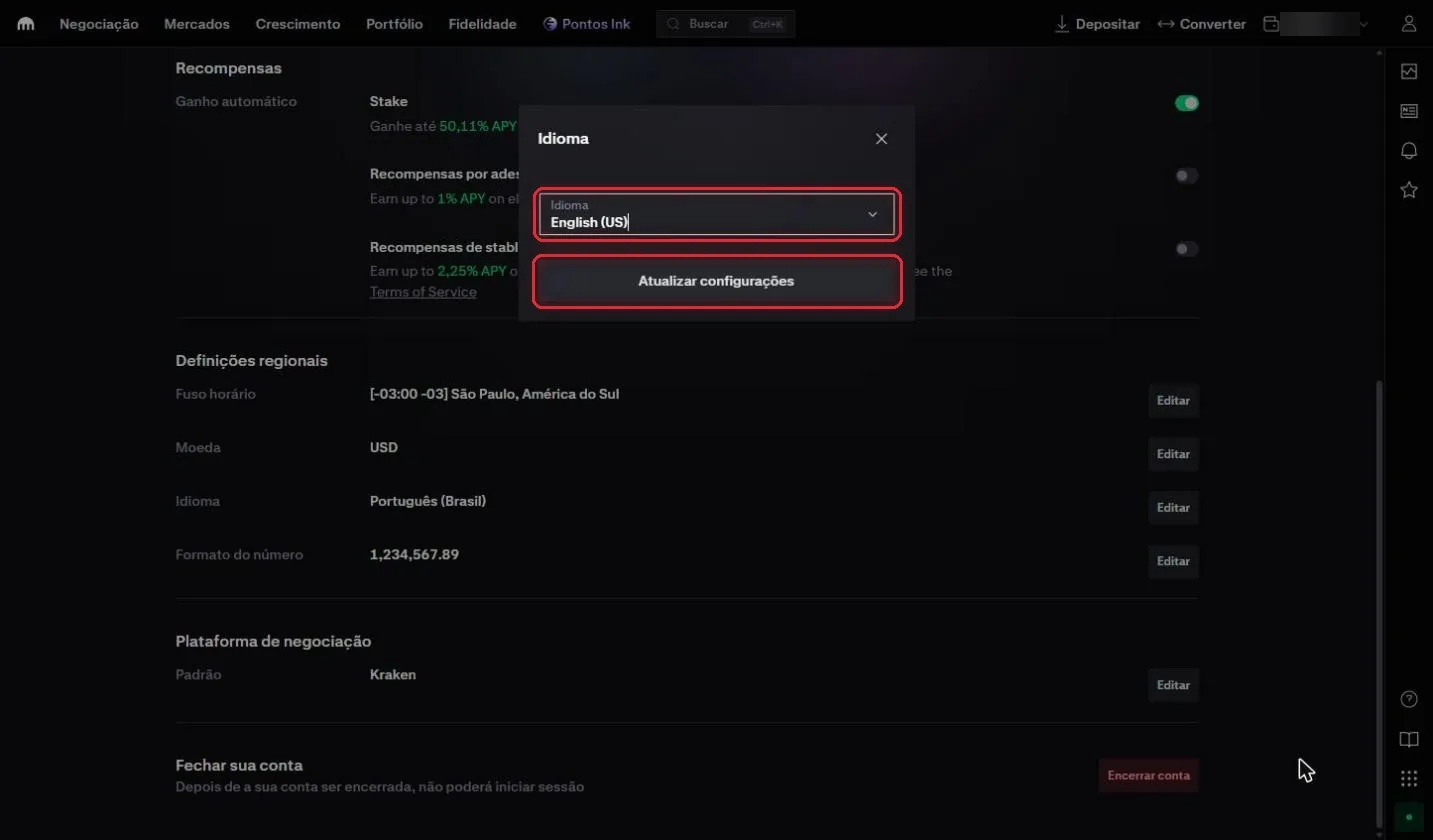
In the Idioma (Language) field, choose English (US) and click Atualizar configurações (Update settings).
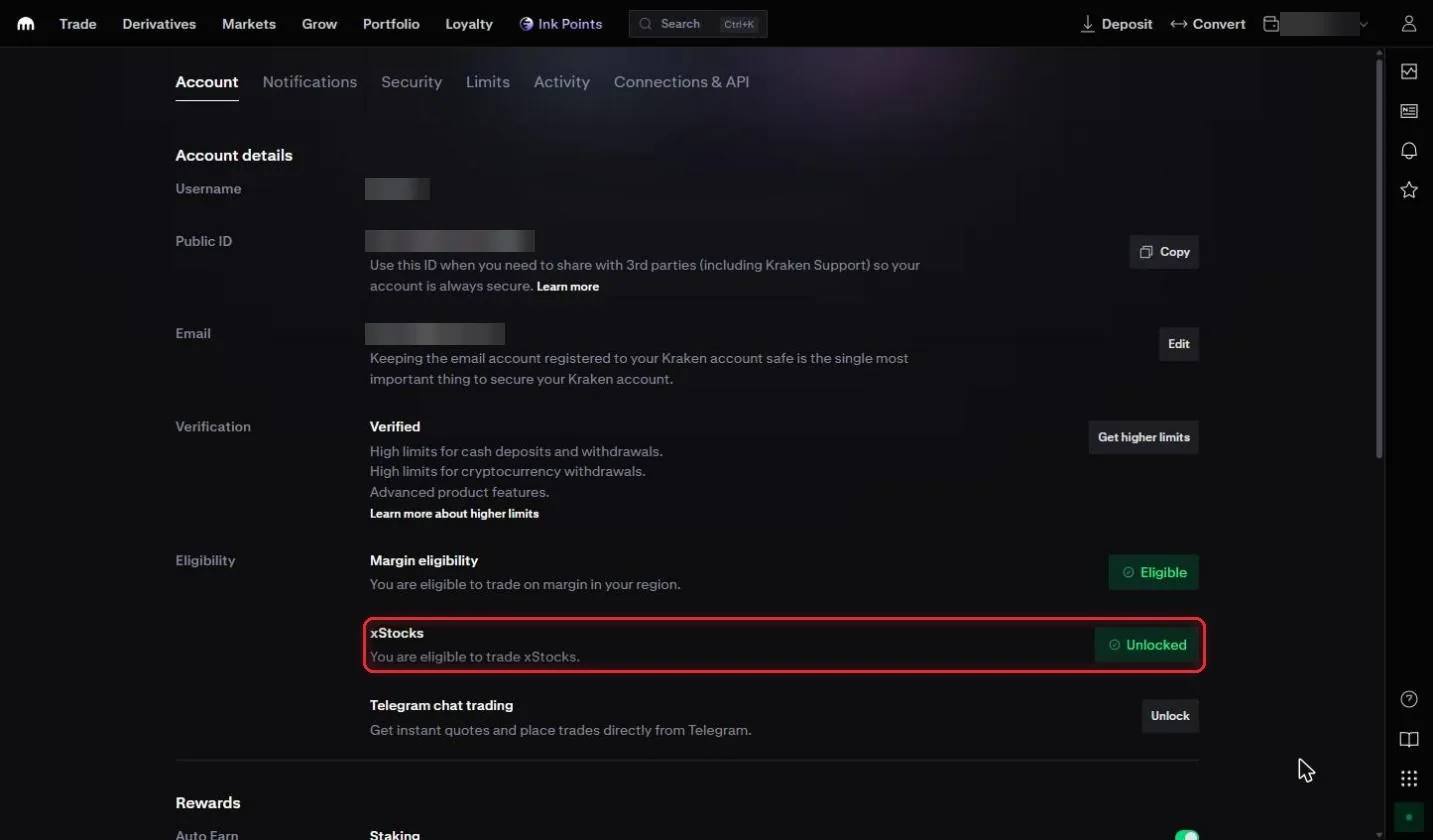
On the Account tab, under Eligibility, check that xStocks shows Unlocked. If it doesn't, click the button next to it and follow Kraken's instructions.
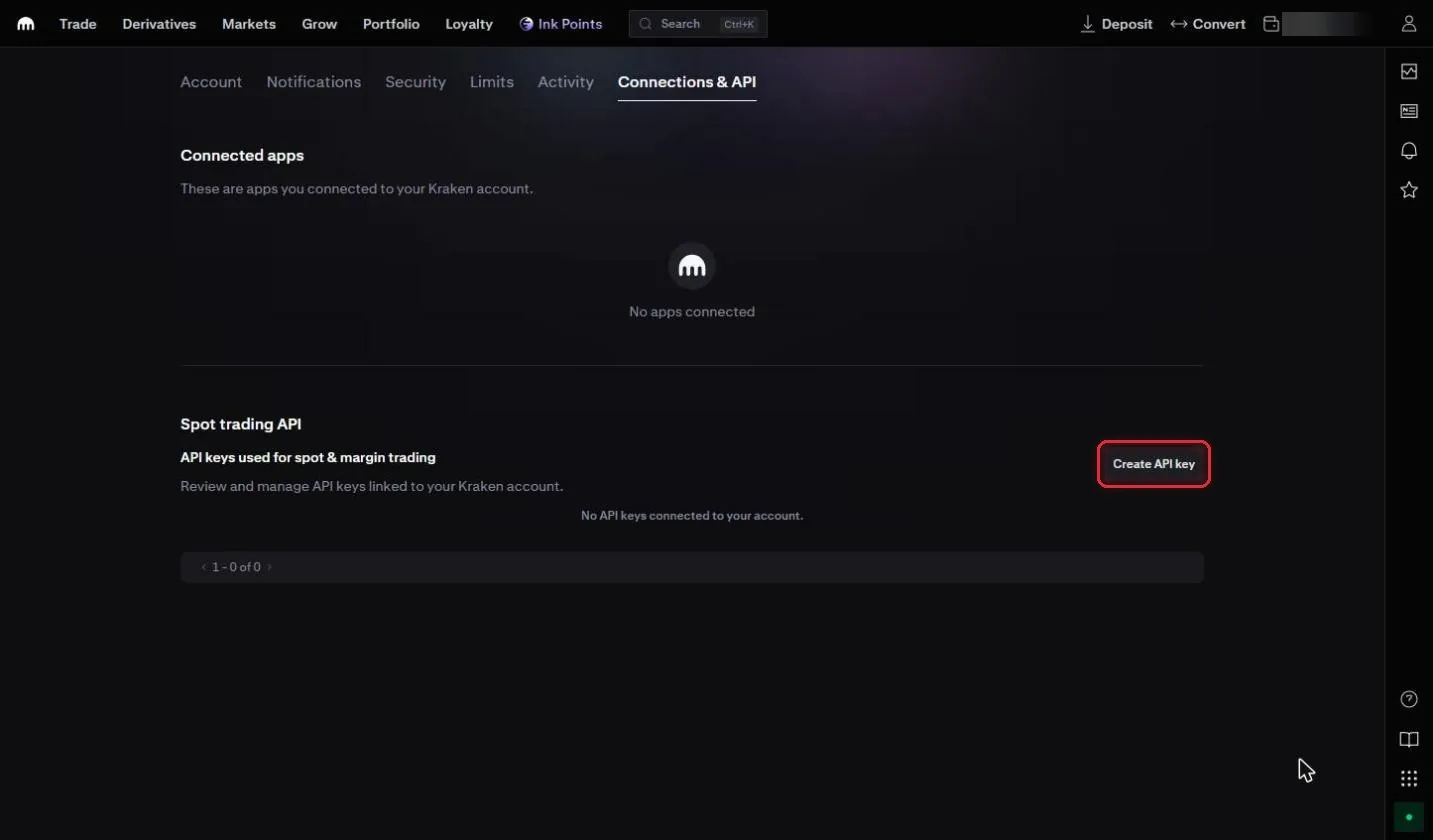
Open the Connections & API tab. Under Spot trading API, click Create API key.
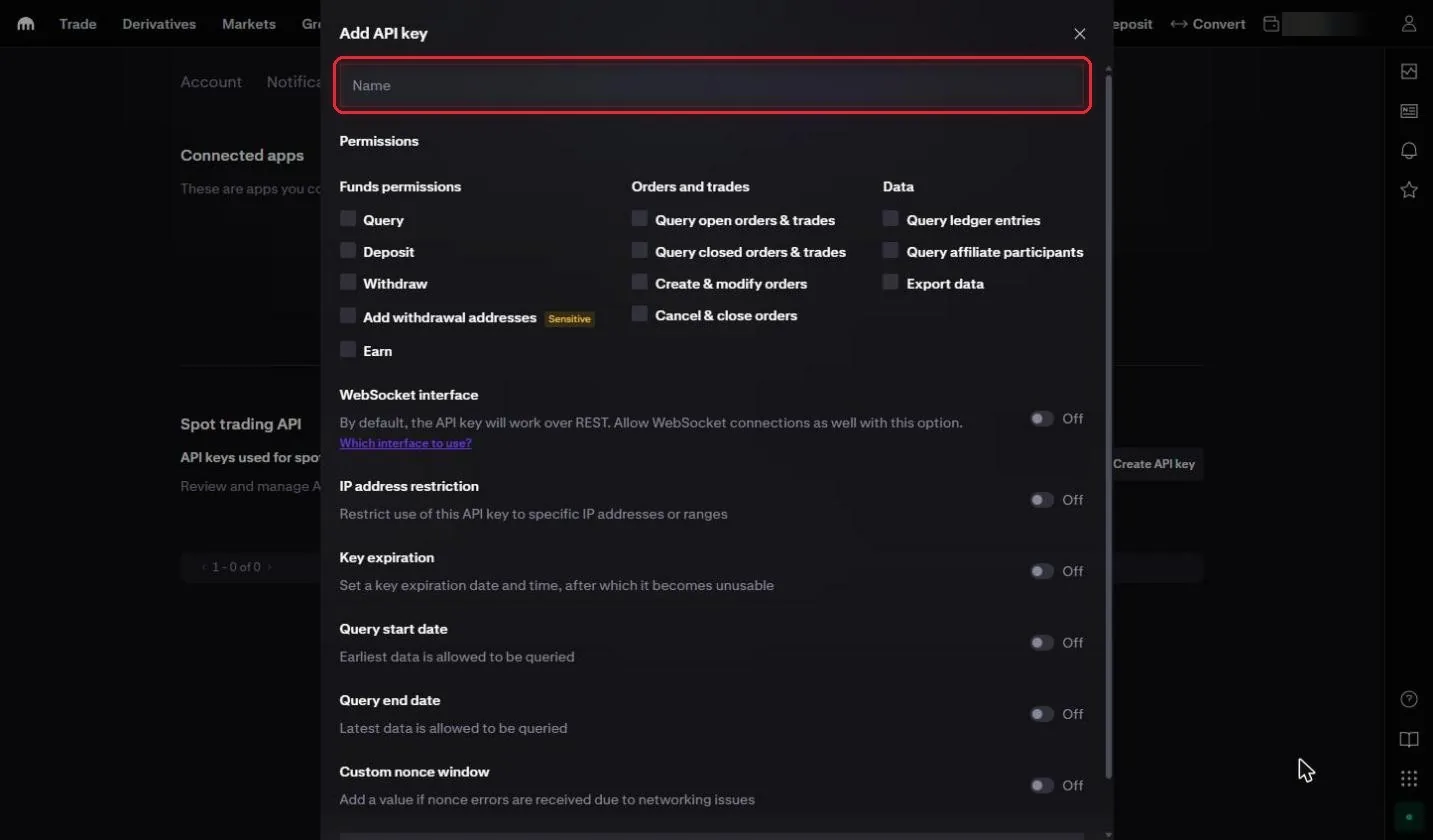
The Add API key window opens. In the Name field, enter an easy-to-remember name, for example RedMind.
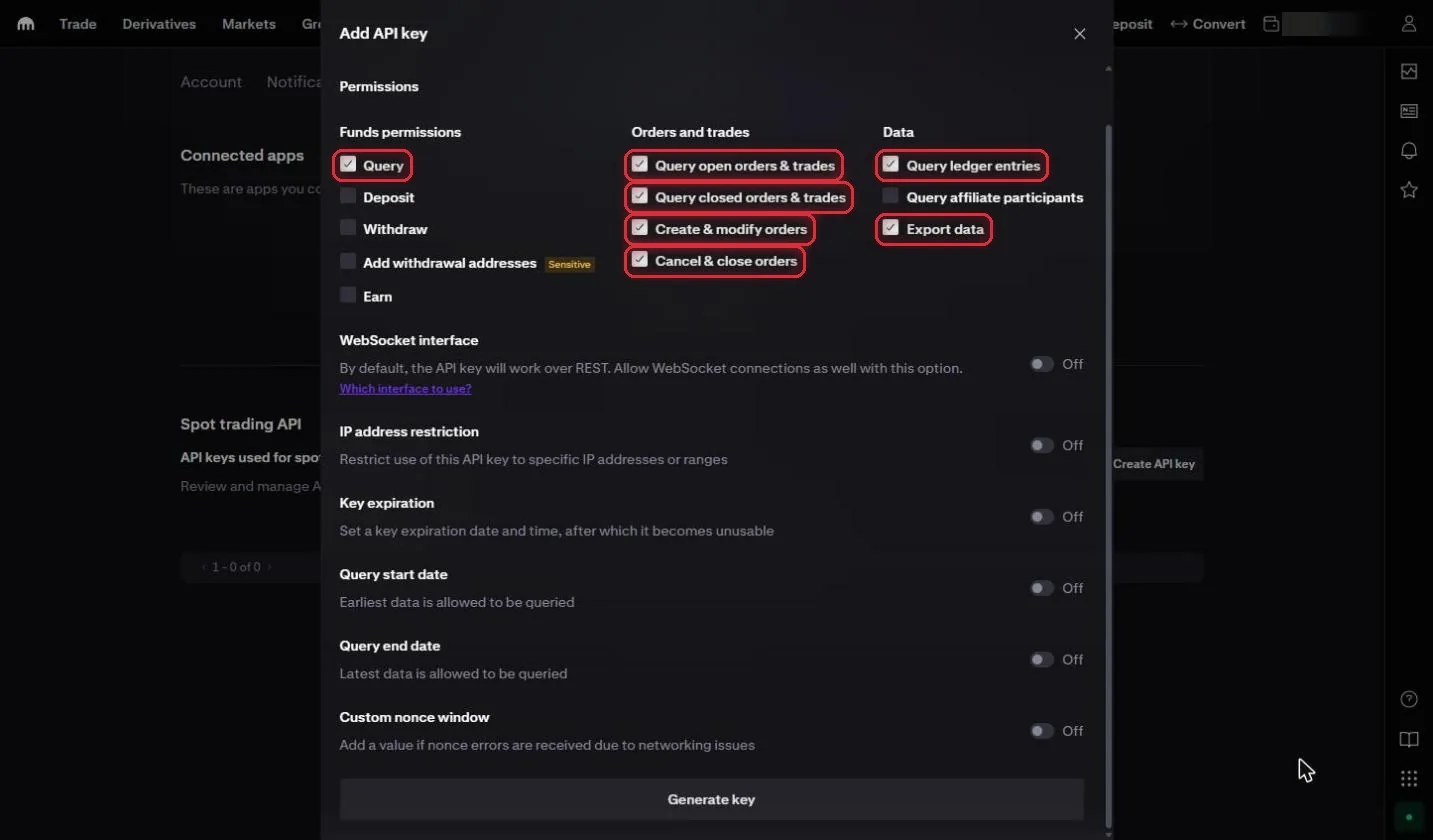
Under Permissions, check:
Query (under Funds permissions)
Query open orders & trades
Query closed orders & trades
Create & modify orders
Cancel & close orders
Query ledger entries
Export data
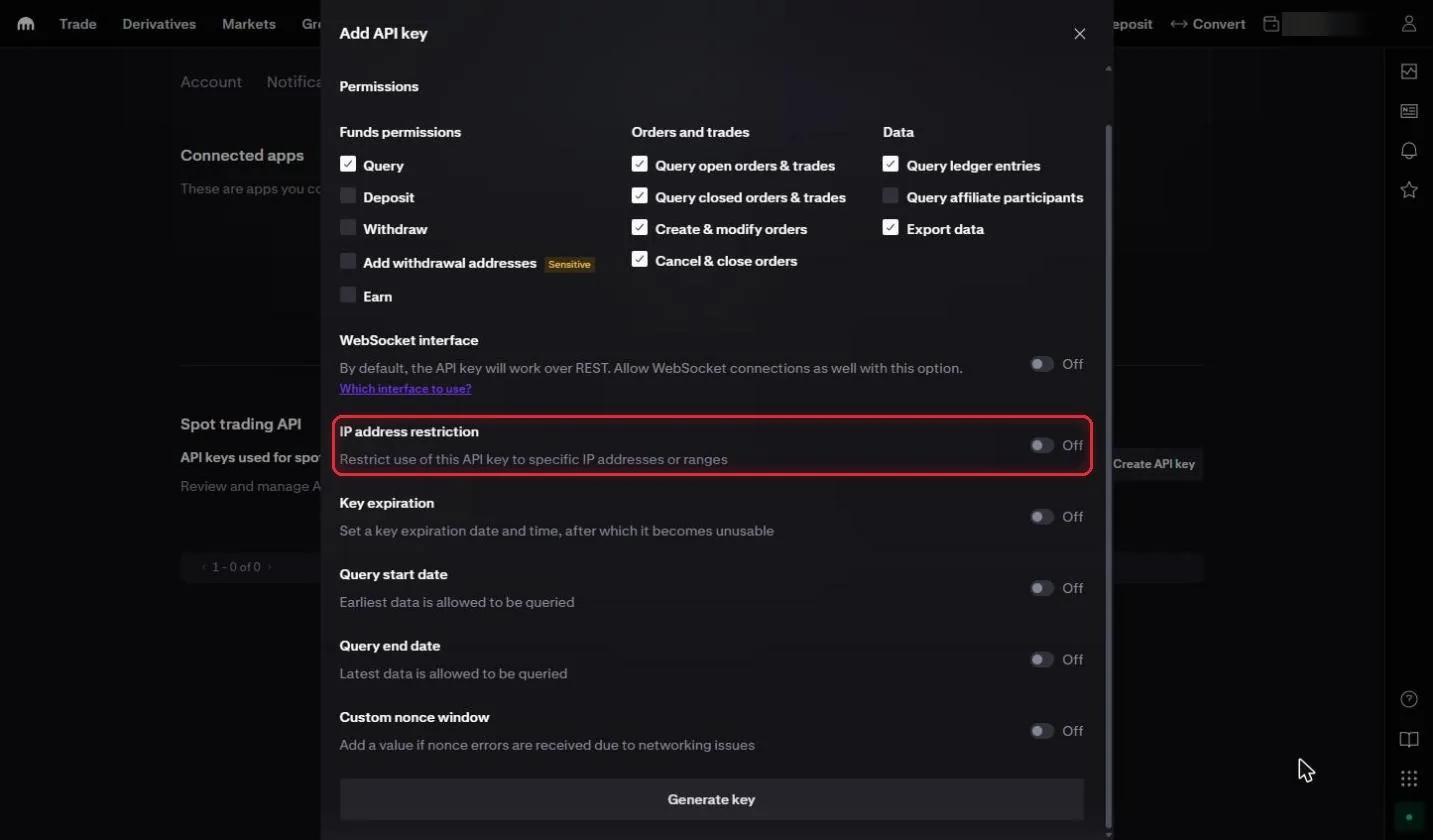
Leave IP address restriction turned off, because RedMind uses several IPs.
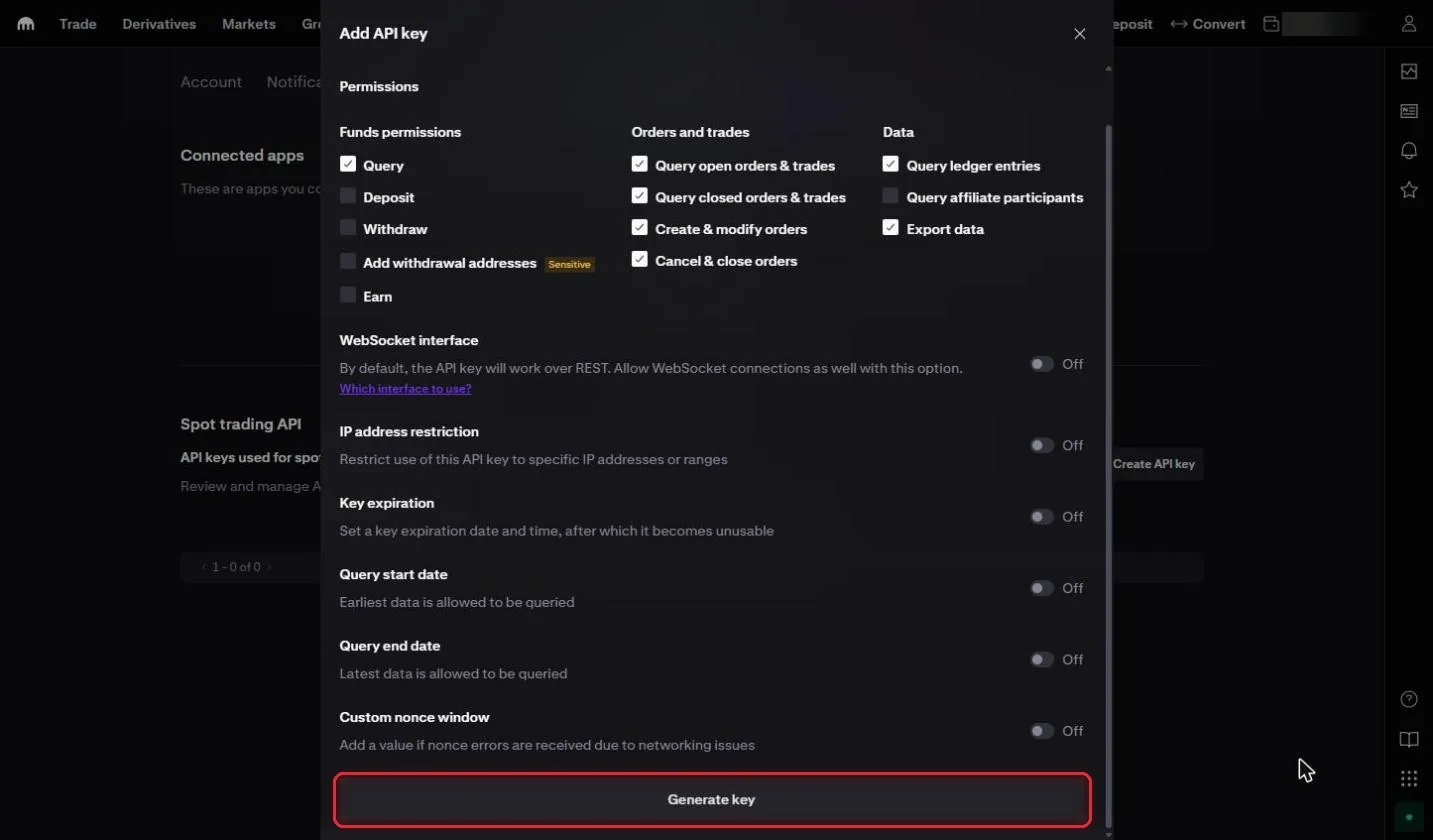
Leave the other options turned off: WebSocket interface, Key expiration, Query start date and Query end date, and Custom nonce window.
Scroll to the bottom and click Generate key.
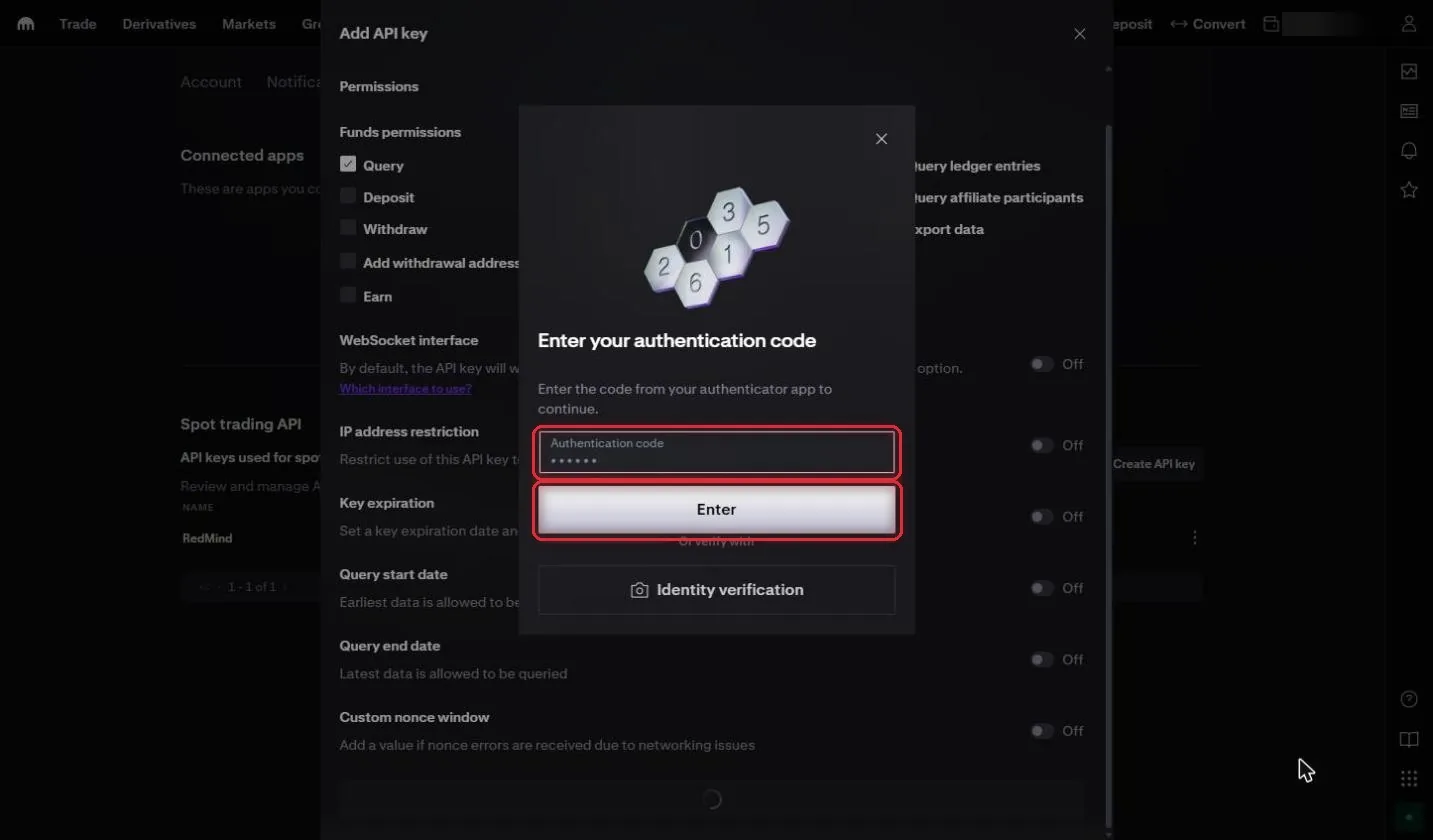
Kraken asks for your authentication code one more time (Enter your authentication code). Enter the code in the Authentication code field and click Enter.
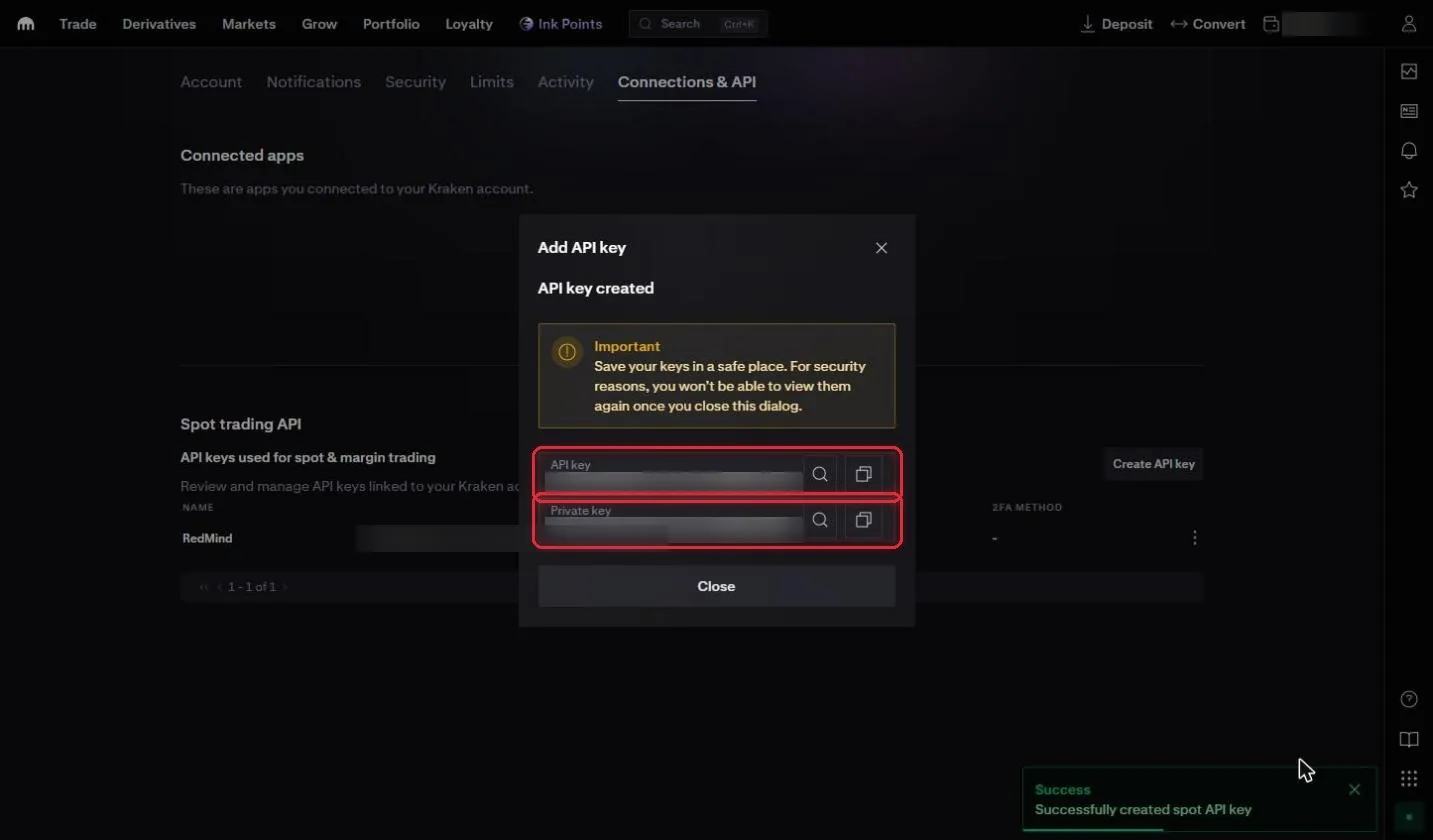
Kraken shows API key created. Click the copy button next to the API key and next to the Private key, and store both somewhere safe.
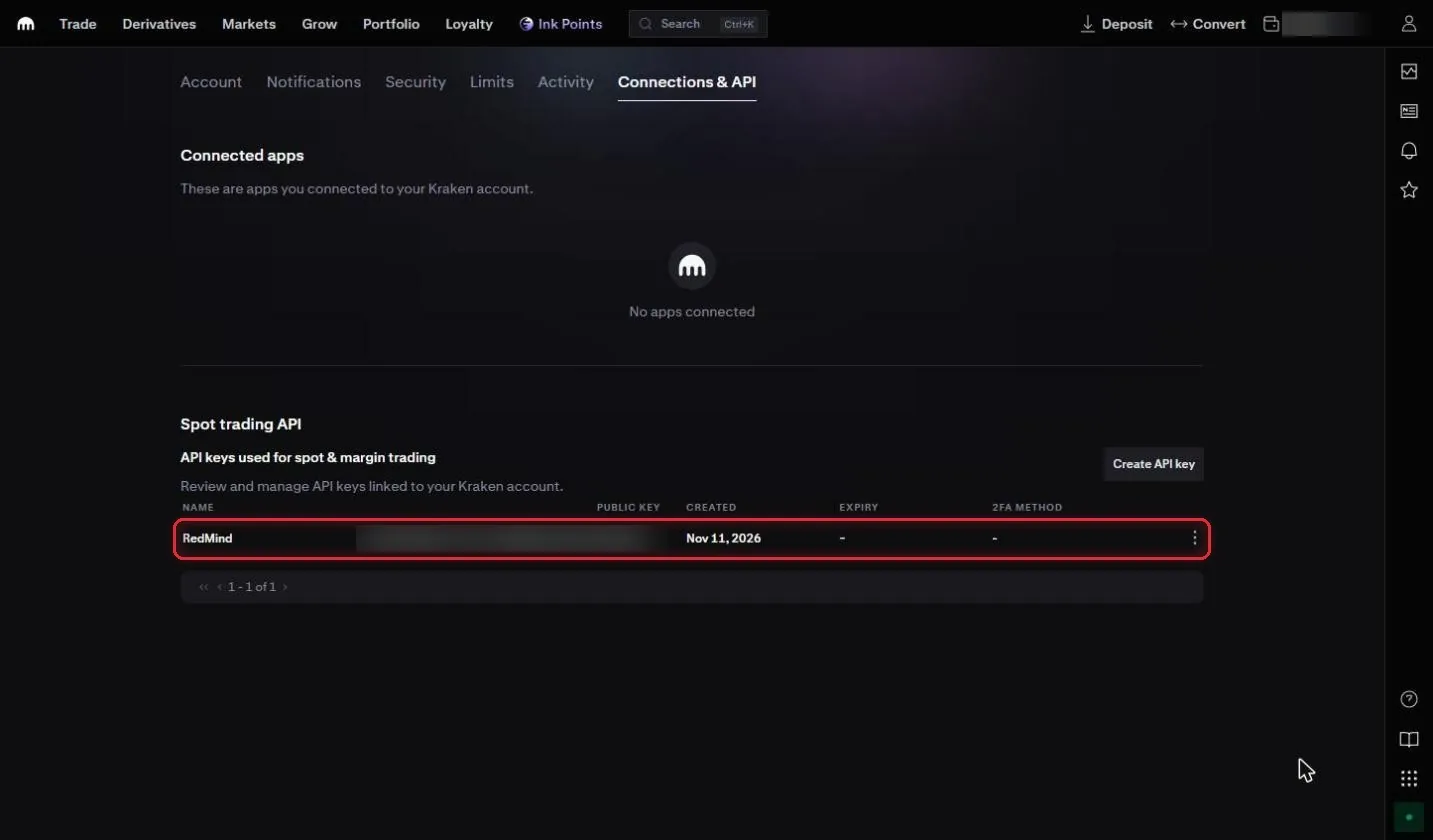
Your new RedMind key now appears in the Spot trading API list.
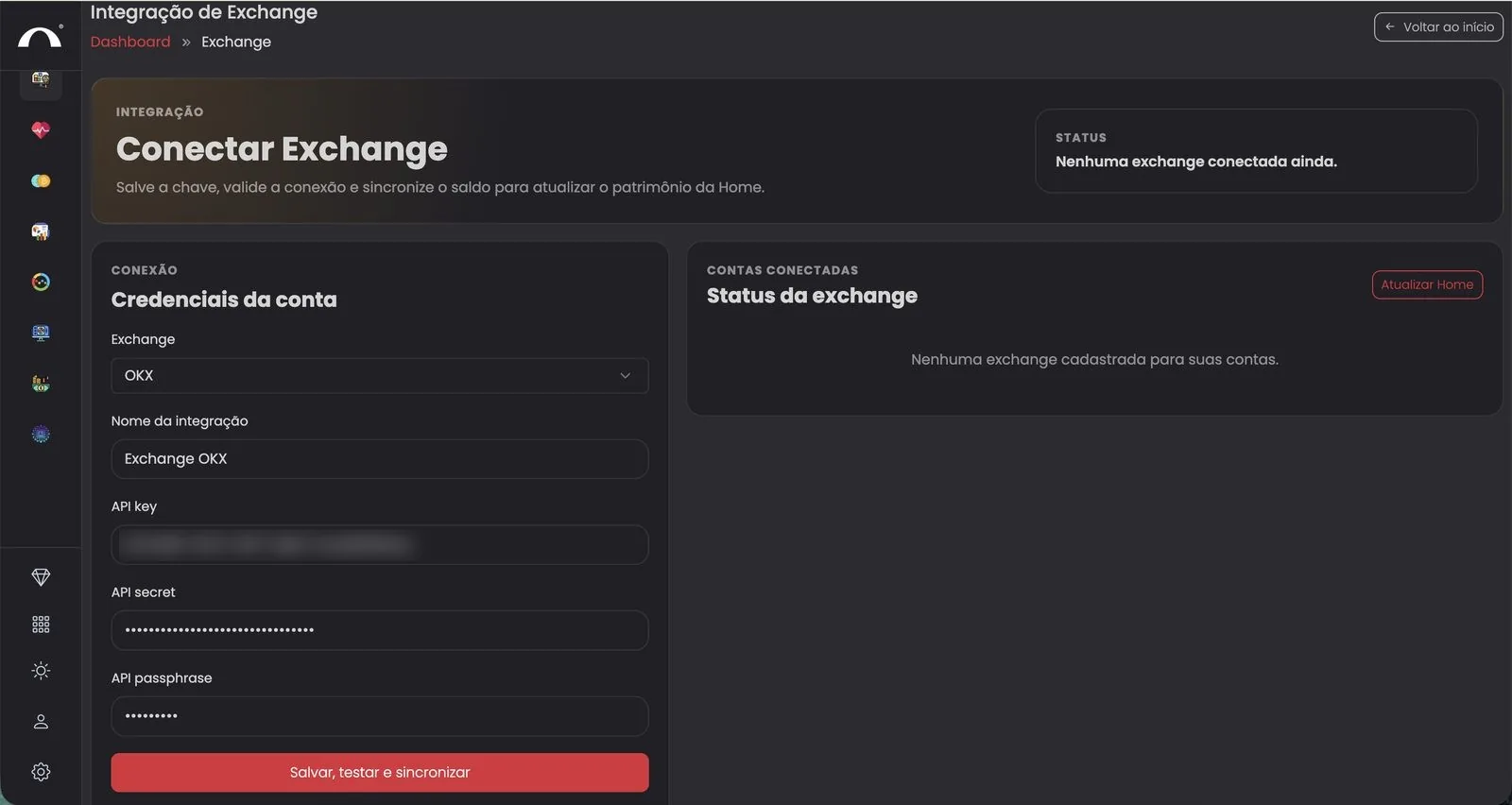
In RedMind, open Exchange → Integração de Exchange (Exchange Integration) and select Kraken from the Exchange dropdown. Paste the Kraken API key into the API key field and the Private key into the API secret field.
Click the red Salvar, testar e sincronizar (Save, test and sync) button.
Next step: create your first portfolio with the Autopilot.