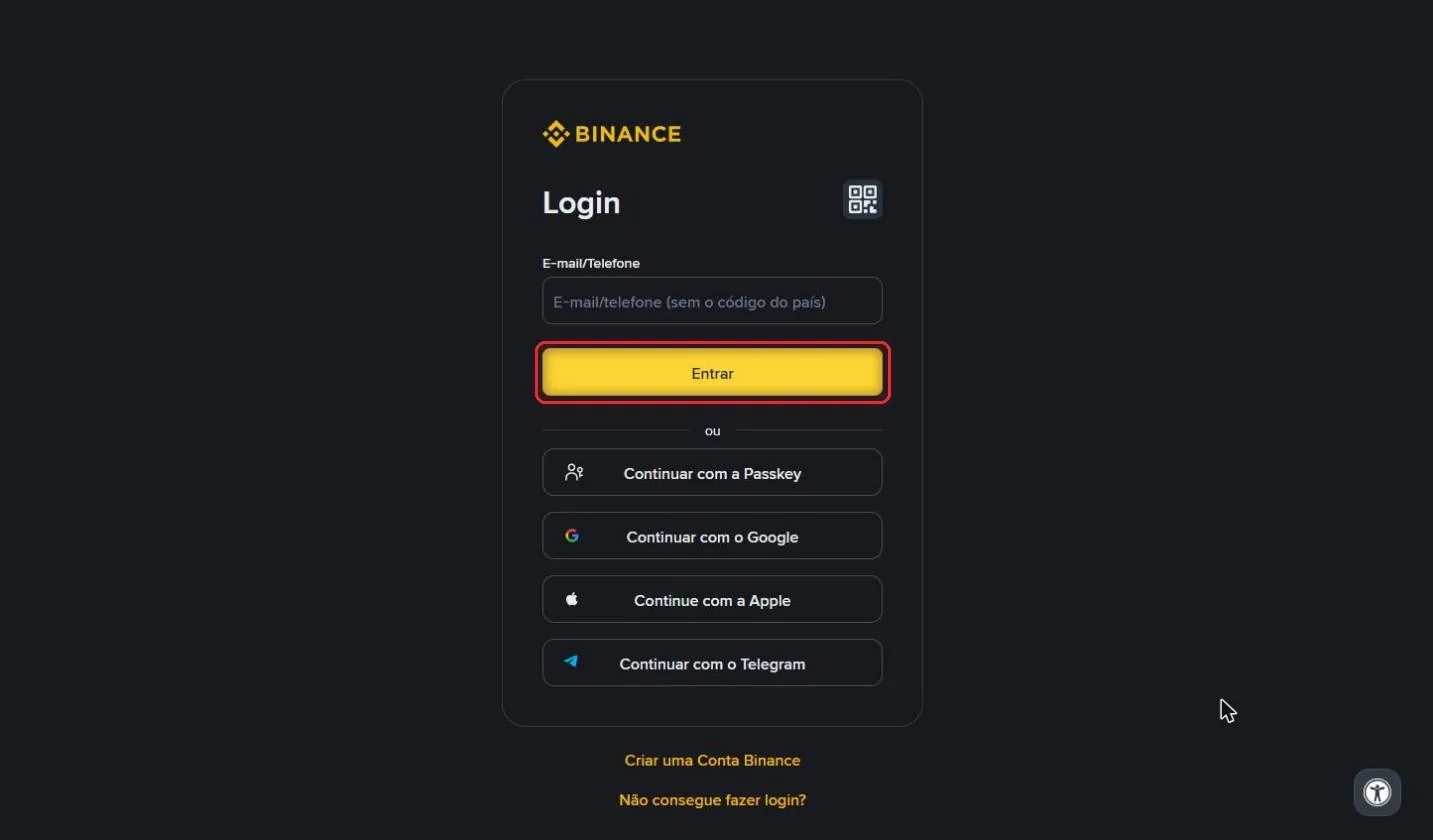
Step 1 of 11
Log in to Binance
Go to binance.com on your computer and log in to your account.
How to create an API key on Binance with the right permissions and connect it to RedMind.
Go to binance.com on your computer and log in to your account.
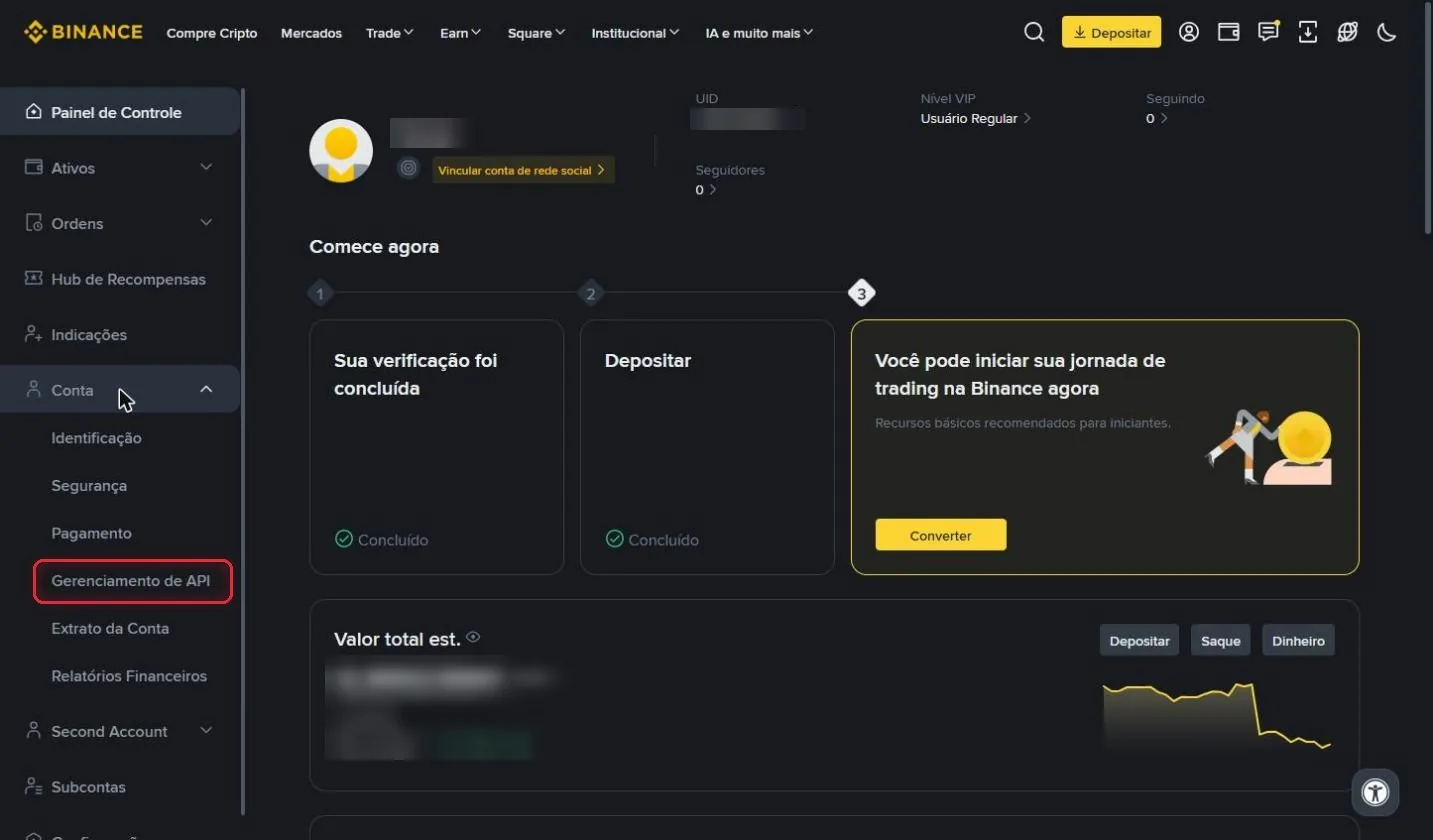
In the left-hand menu of the Painel de Controle (Dashboard), click Conta (Account), then click Gerenciamento de API (API Management).
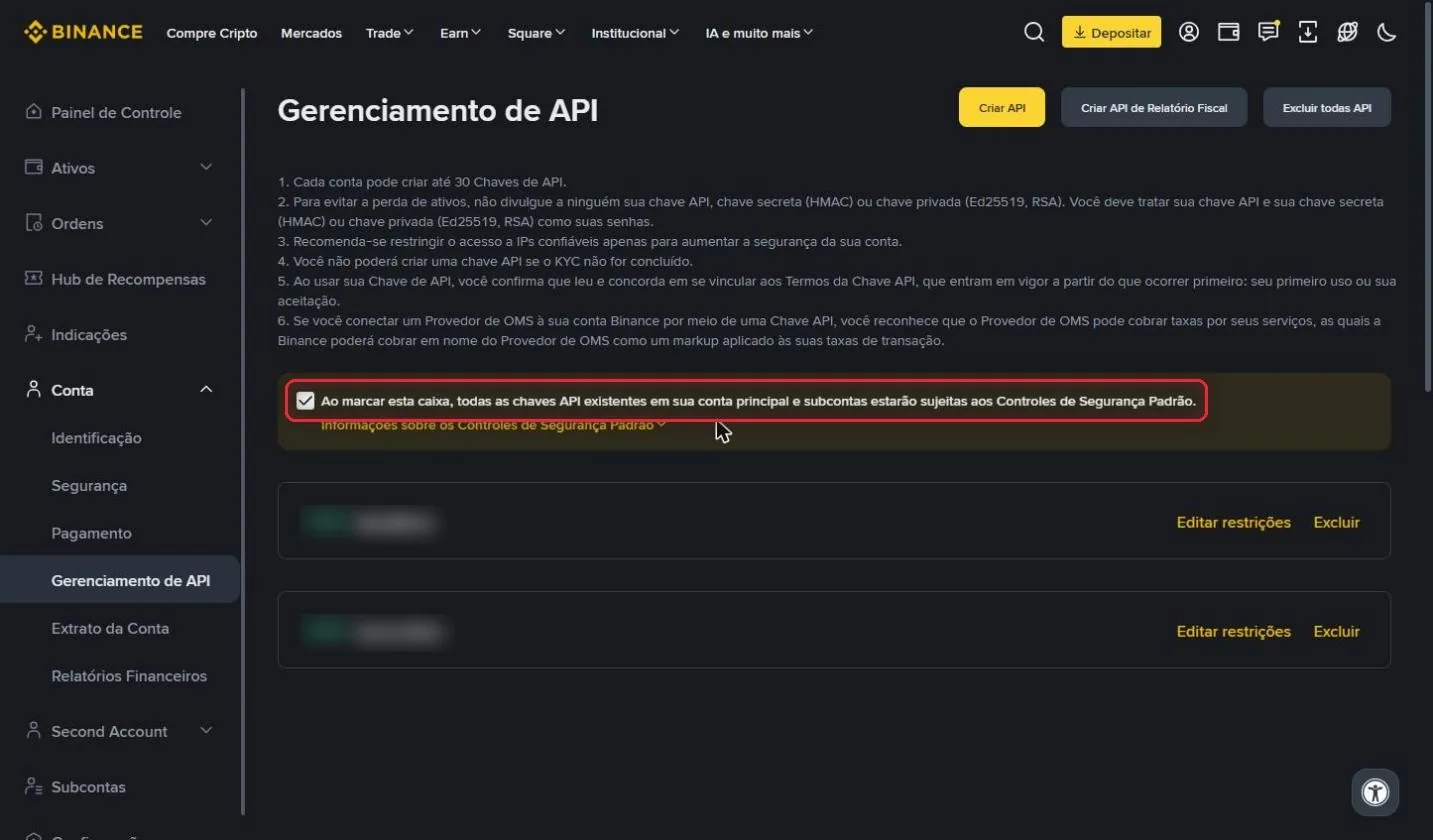
On this page, uncheck the box "Ao marcar esta caixa, todas as chaves API existentes... estarão sujeitas aos Controles de Segurança Padrão" (By checking this box, all existing API keys... will be subject to the Default Security Controls).
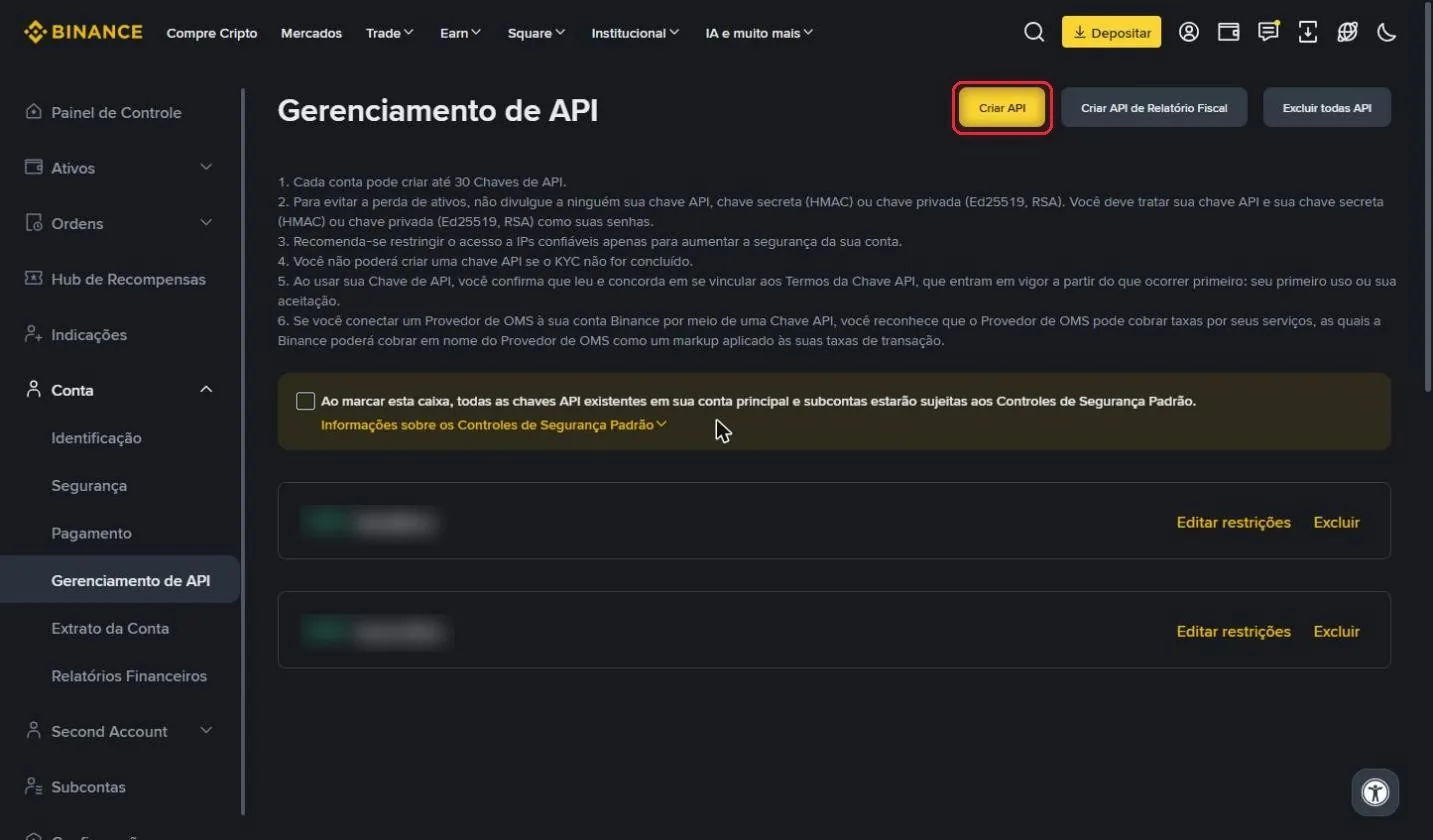
With the box unchecked, click the yellow Criar API (Create API) button.
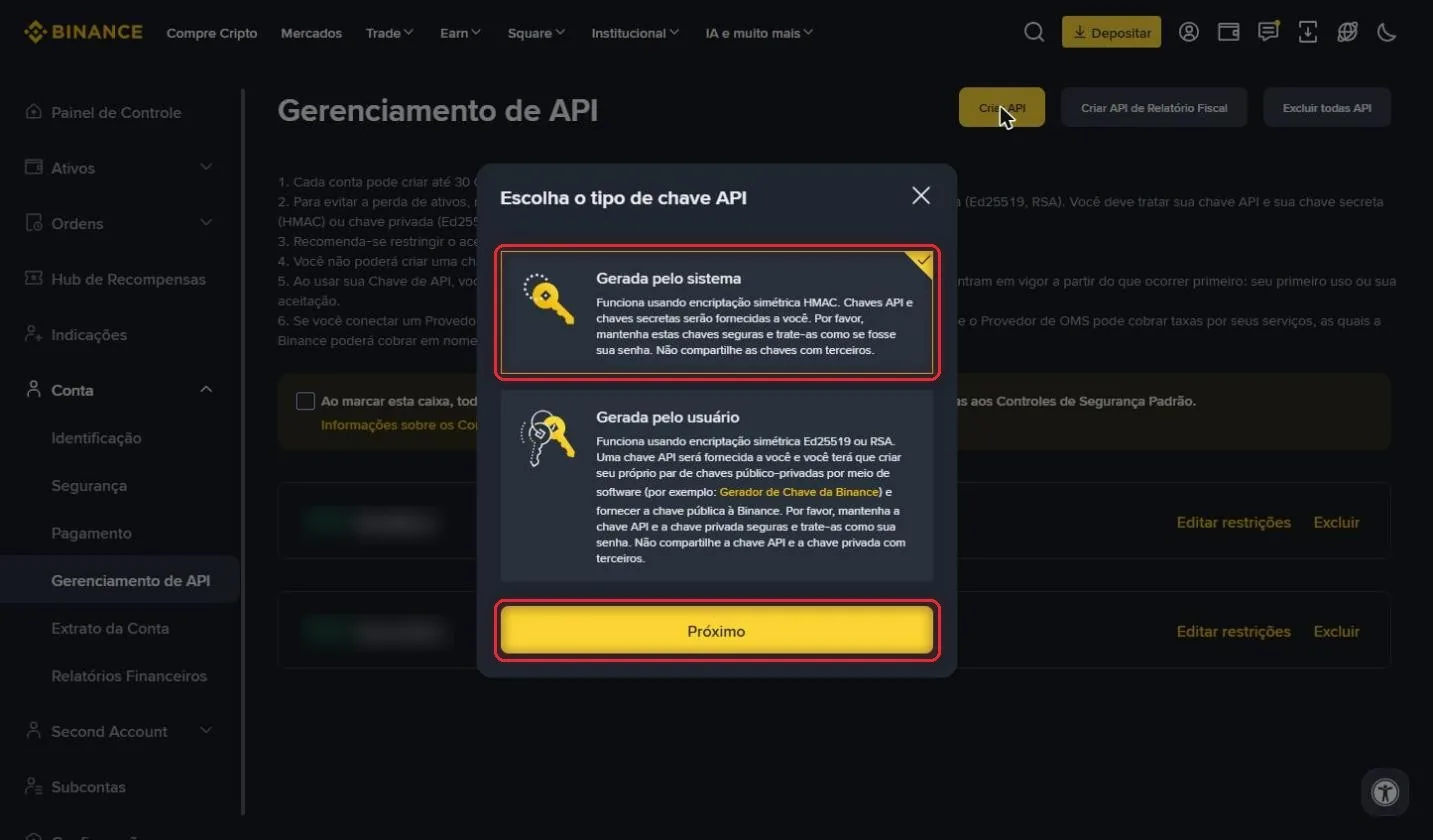
Leave Gerada pelo sistema (System generated) selected and click Próximo (Next).
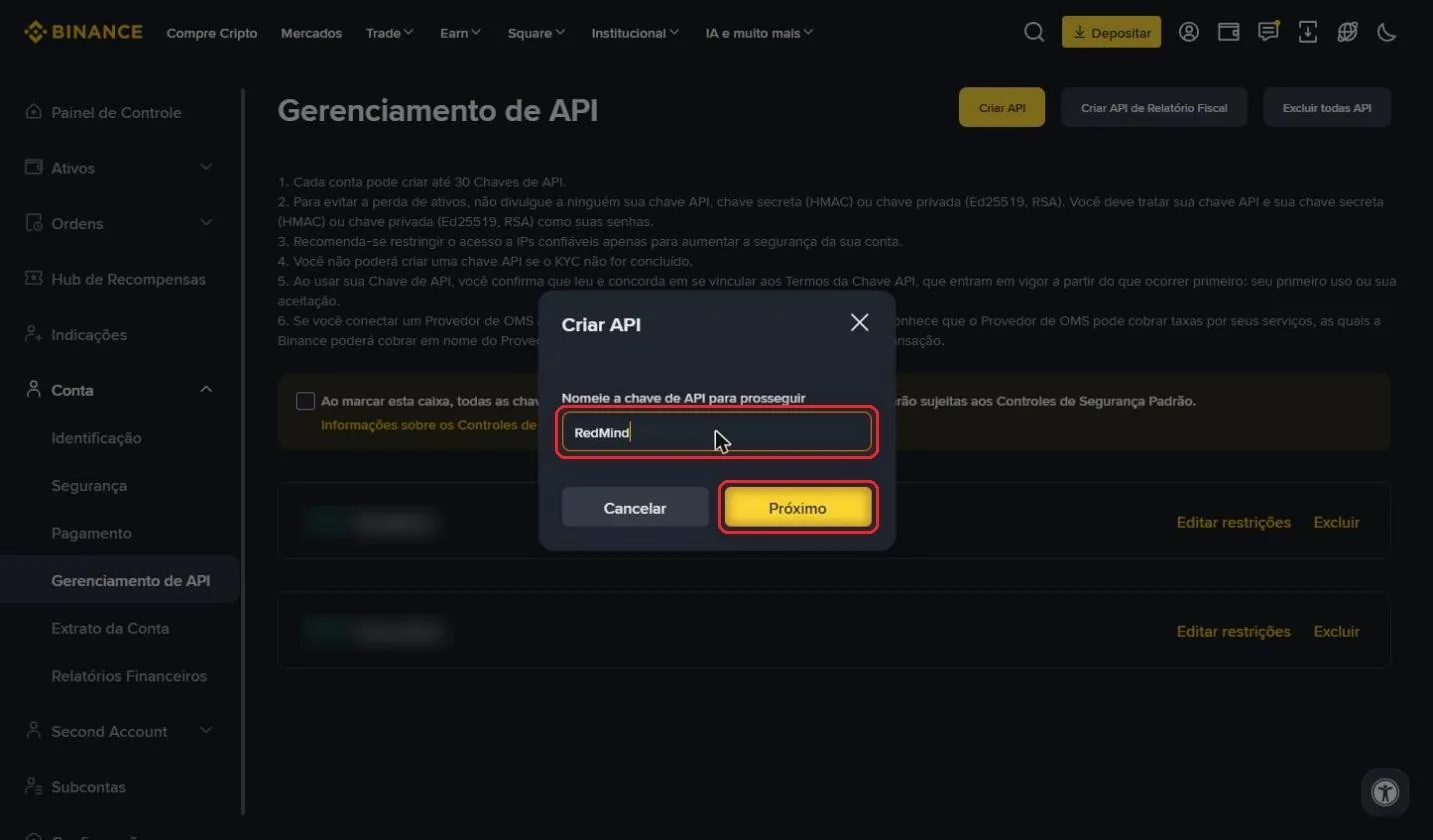
Enter a name for the key, for example RedMind, and click Próximo (Next).
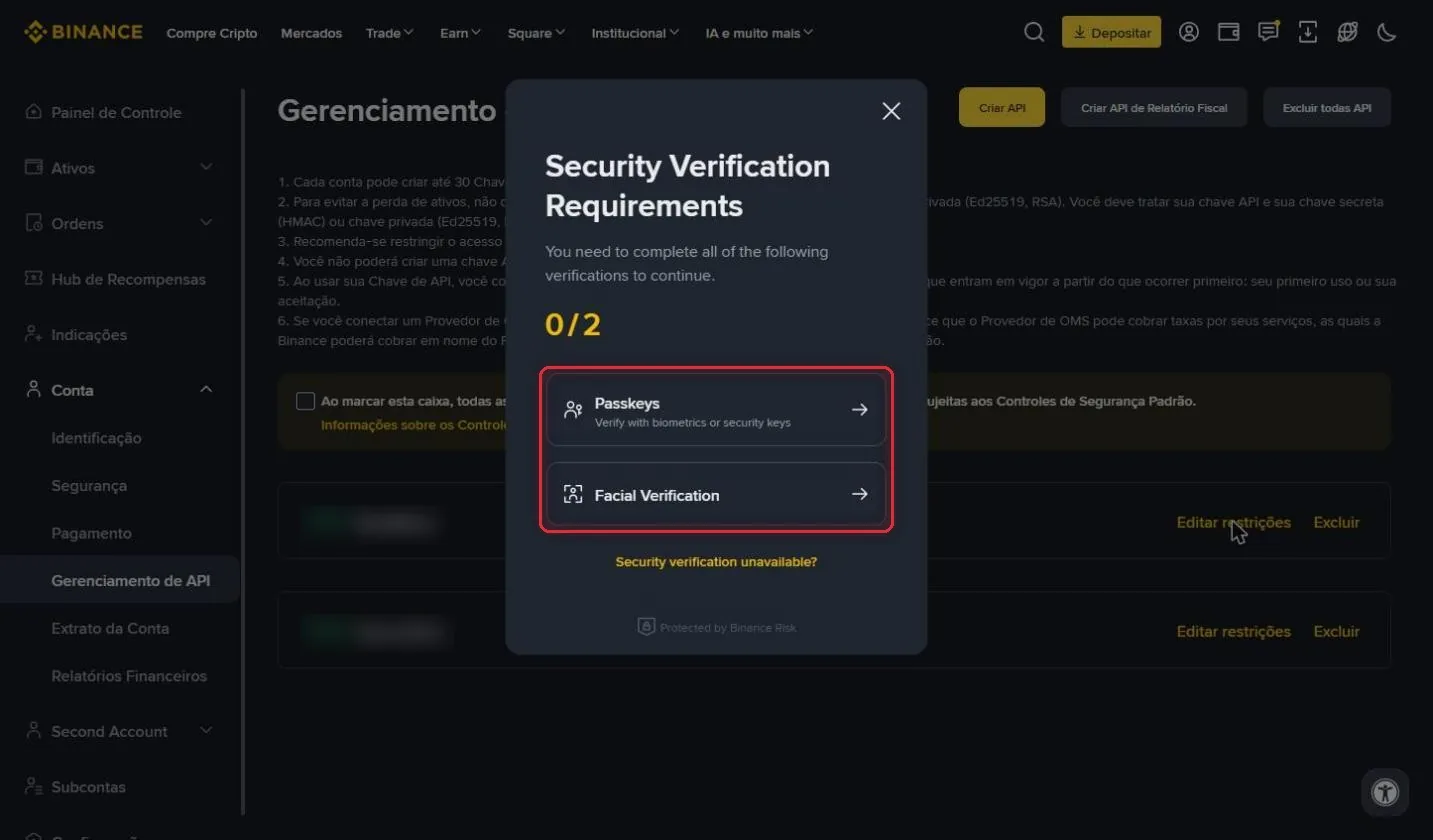
Binance asks for a security check, such as a passkey, facial recognition, or a code. Follow the on-screen instructions.
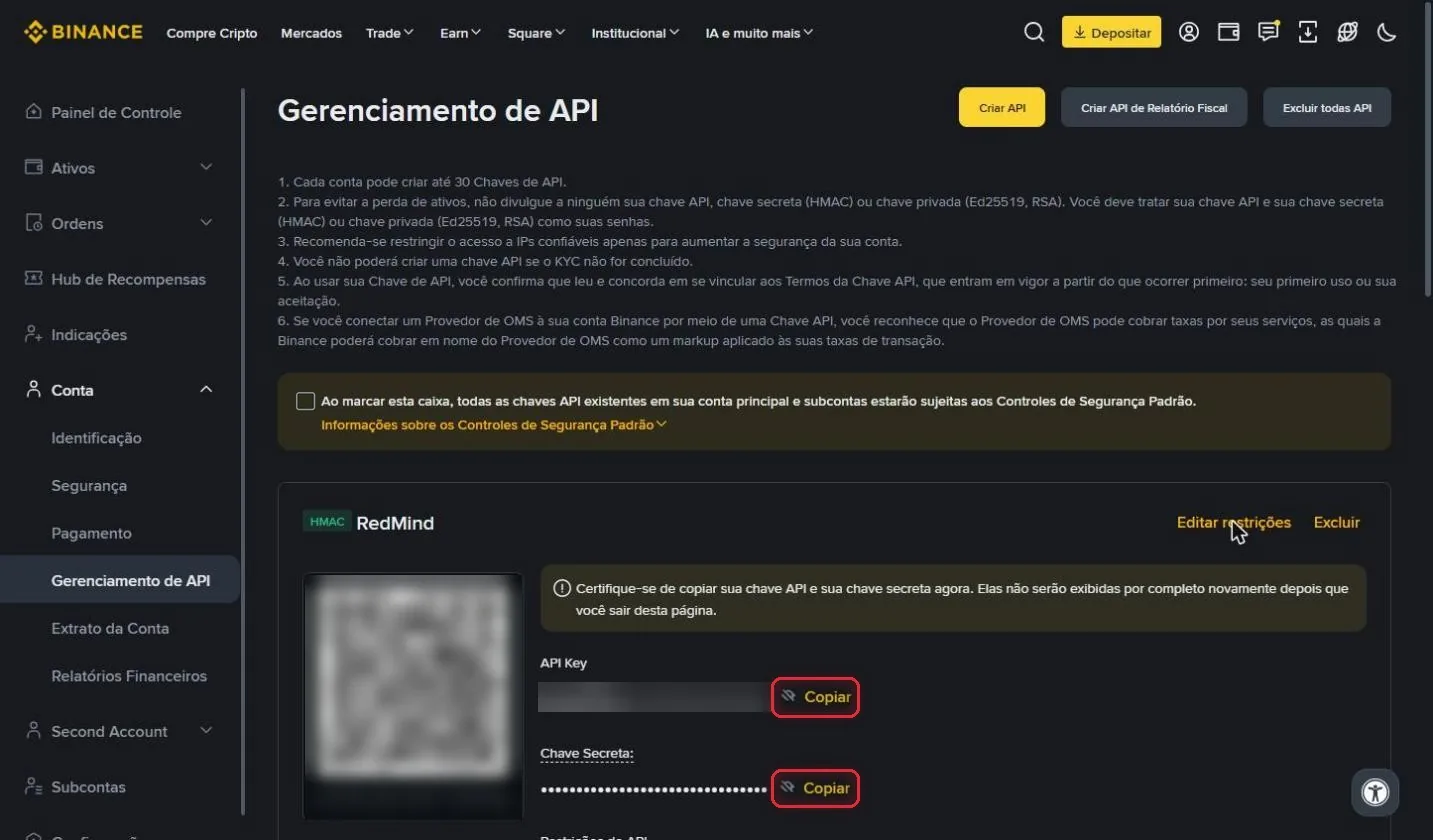
Your key has been created. Click Copiar (Copy) next to the API Key and next to the Chave Secreta (Secret Key), and store both somewhere safe.
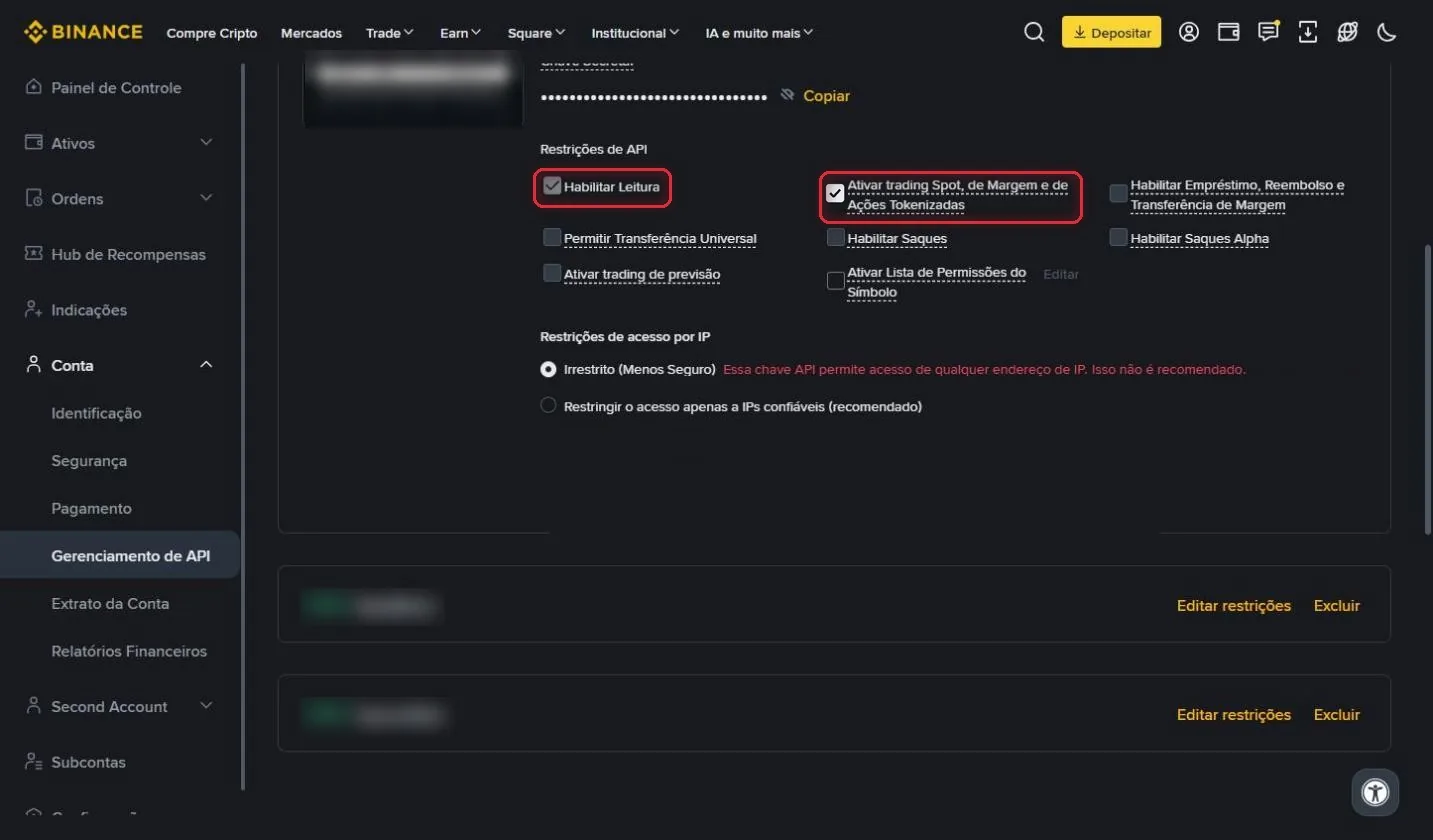
Click Editar restrições (Edit restrictions). Leave Habilitar Leitura (Enable Reading) checked and also check Ativar trading Spot, de Margem e de Ações Tokenizadas (Enable Spot, Margin and Tokenized Stock trading).
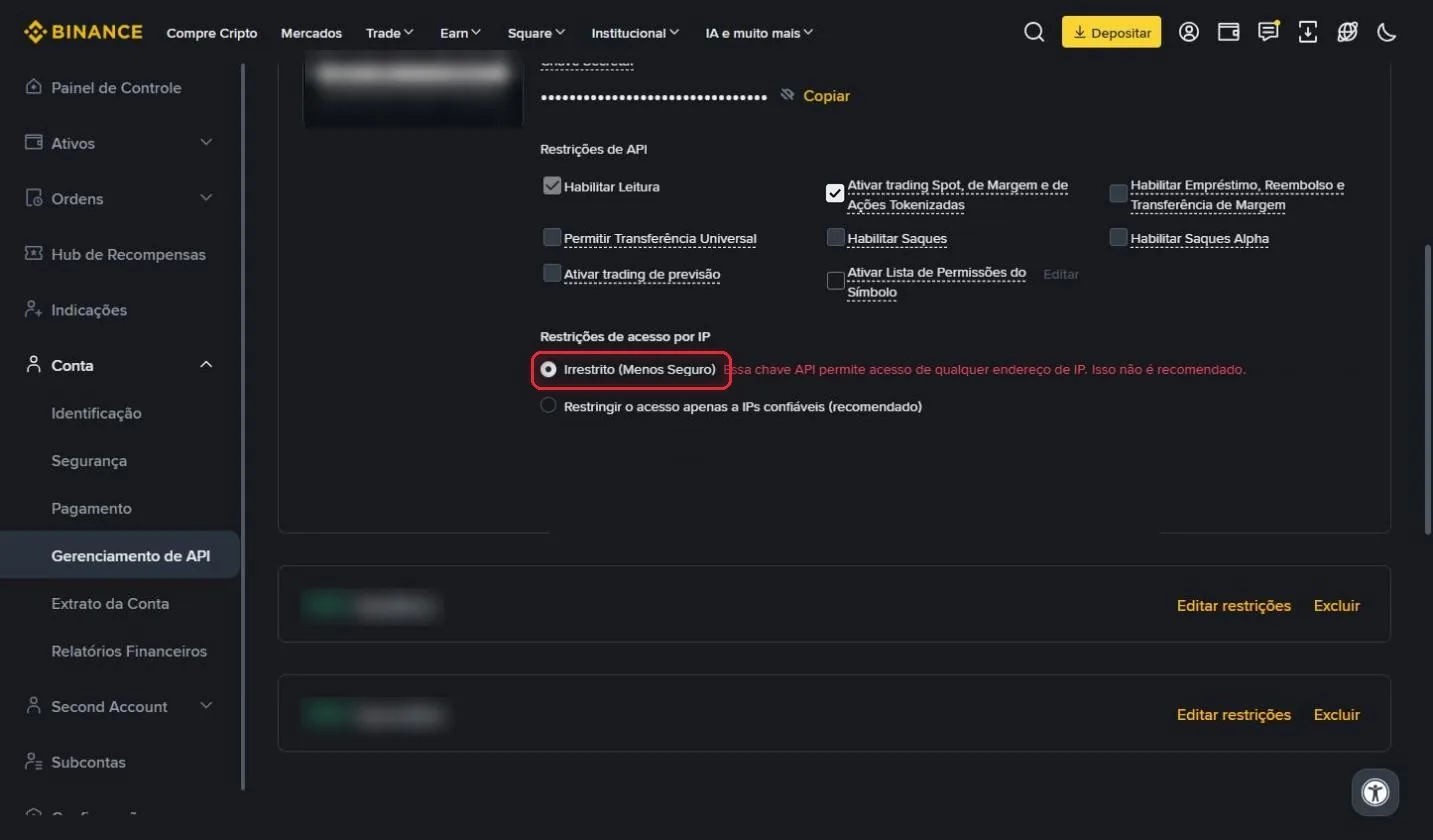
Under Restrições de acesso por IP (IP access restrictions), keep Irrestrito (Unrestricted) selected, because RedMind uses several IPs. Then click Salvar (Save).
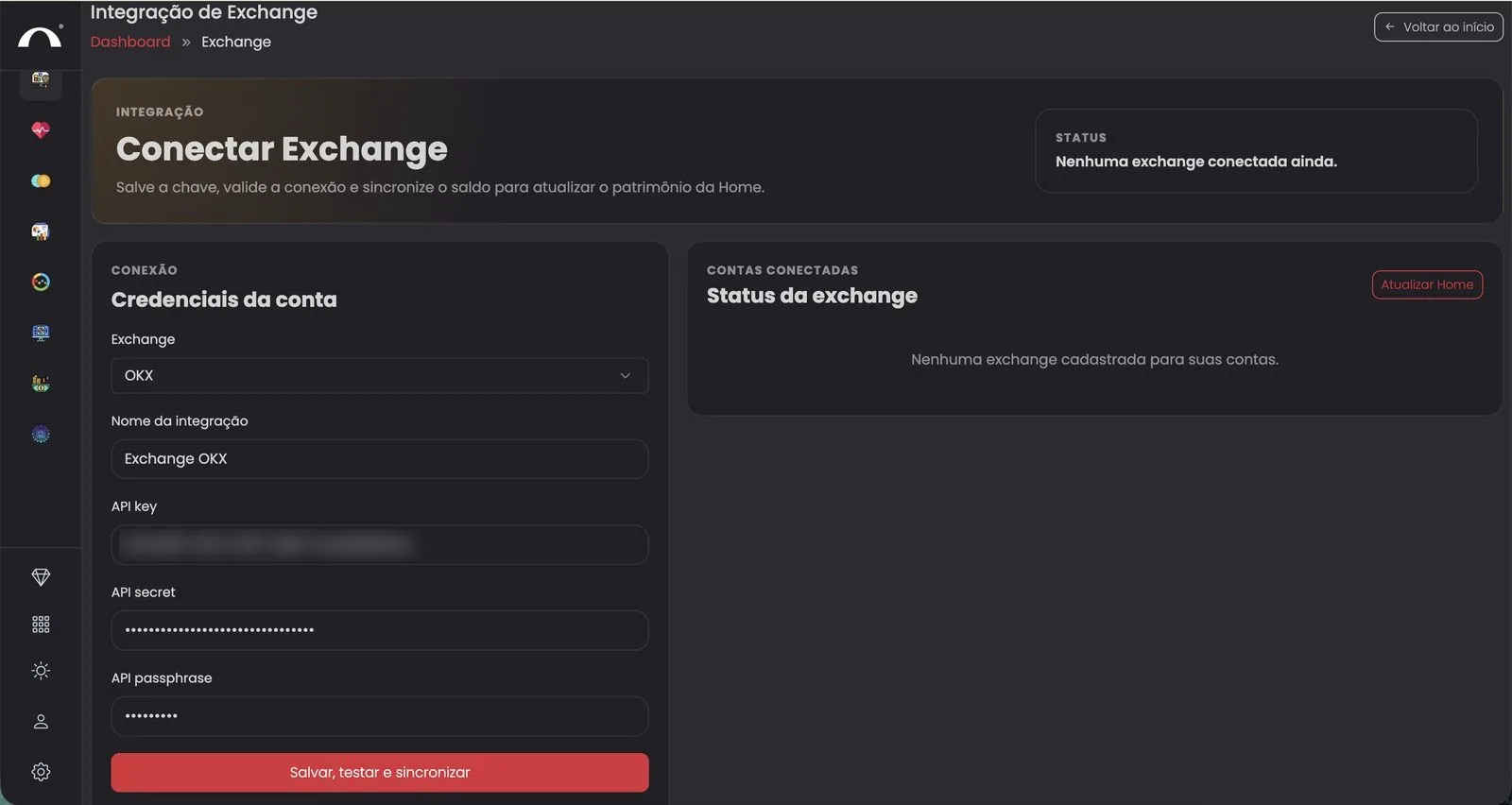
In RedMind, open Exchange → Integração de Exchange (Exchange Integration) and select Binance from the Exchange dropdown. Paste the API Key and the Chave Secreta (Secret Key). Binance doesn't use a passphrase.
Click the red Salvar, testar e sincronizar (Save, test and sync) button.
Next step: create your first portfolio with the Autopilot.